While creating interactive HTML learning resources for Digital Support Technician (DST) v2.0 and AI mini-courses, I’ve found one small addition to my prompts particularly useful.
DST is a Level 3 apprenticeship that helps people support colleagues with digital tools and systems. There’s more about the new v2.0 standard on EdTechStuff.
The sentence I’ve started adding is:
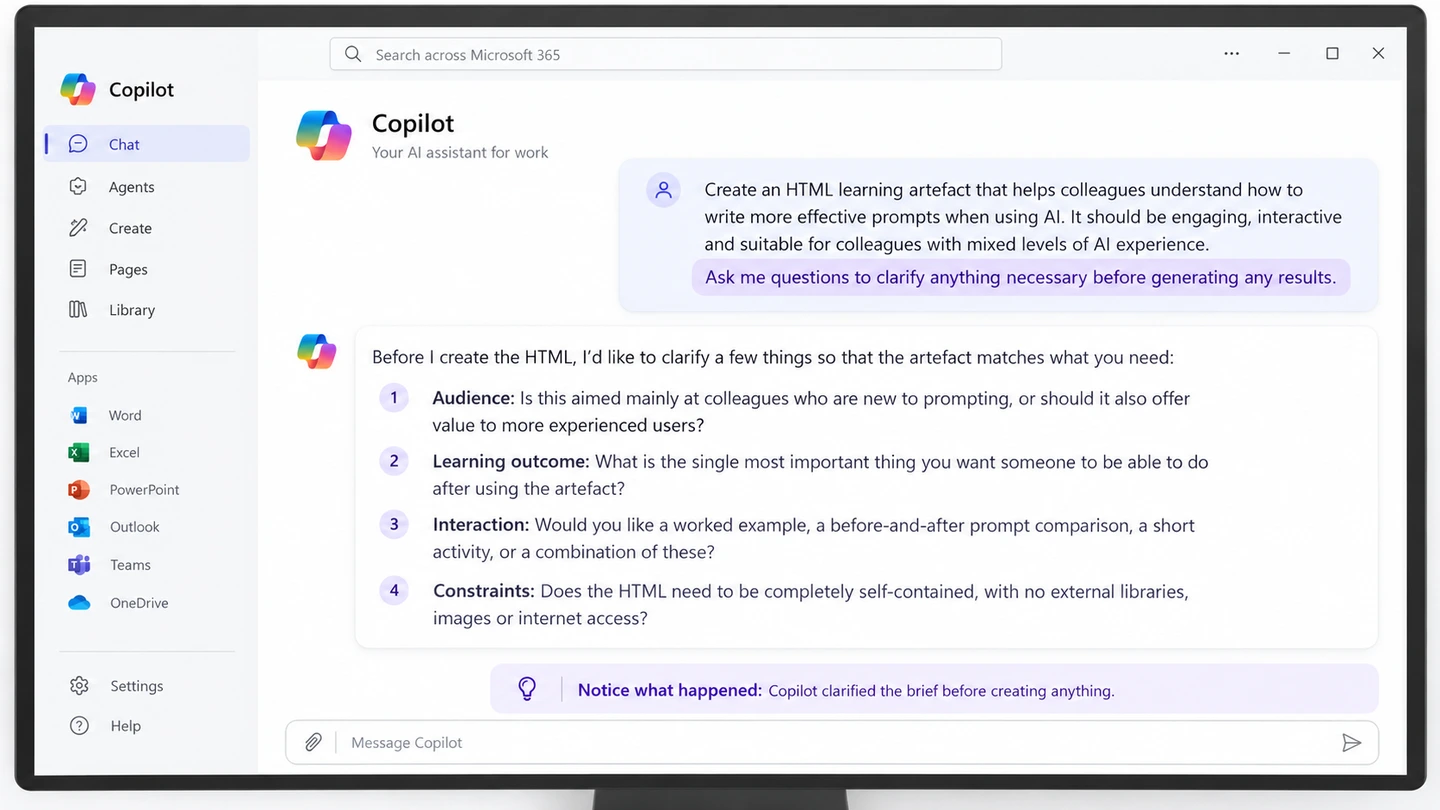
Ask me questions to clarify anything necessary before generating any results.
It gives the AI an opportunity to check what I mean before it starts building something.
In my experience, it usually comes back with two to four questions. These might cover who the resource is for, what learners should be able to do afterwards, or how an activity should work.
Answering those questions takes a little time. But it can save several rounds of editing or regenerating something that didn’t quite match what I had in mind.
Keep the context when it helps
The other useful habit is deciding whether to continue in the same chat or start a new one.
If I’m creating related resources, I’ll often stay in the same conversation. I can refer back to earlier examples and ask the AI to keep the context, chronology, names and setting consistent.
That’s helpful when several activities follow the same fictional organisation or characters. I don’t want someone’s role to change halfway through a course, or an event to happen before the decision that caused it.
I’ll still check the result. Keeping a conversation going helps me carry useful context forward, but it doesn’t guarantee consistency.
Start fresh when the task changes
If I’m moving on to something unrelated, I’ll usually start a new chat and give it a fresh brief.
That helps separate the new task from the conversation I’ve just been having. Depending on the tool and its settings, saved preferences or memory may still influence the response, so a new chat isn’t necessarily a completely blank slate.
For a related task, I keep the useful context. For a different task, I make the new brief clear.
Clarify first, keep useful context, and start fresh when it isn’t useful.